Customer-Facing SaaS Docs: What to Publish Before Launch
How to structure SaaS documentation for buyers and users: getting started, configuration, deployment, API docs, troubleshooting, security, and changelog.
Documentation is not only a support asset. For developer products and technical SaaS, docs are part of the buying process.
A buyer reads docs to answer one question: "Is this real enough for my use case?"
Start with a Short Getting Started Path
The first docs path should get a user from zero to a running app:
- Requirements.
- Installation.
- Environment variables.
- Database setup.
- Seed data.
- Dev server.
- First login.
- Common errors.
Keep this path short. Link to deeper pages instead of explaining every subsystem inline.
Add Configuration Reference
Environment variables need more than names.
Document:
- Variable name.
- Required or optional.
- Public or server-only.
- Example value.
- Provider.
- What happens when it is missing.
This prevents launch bugs and support questions.
Document Core Modules
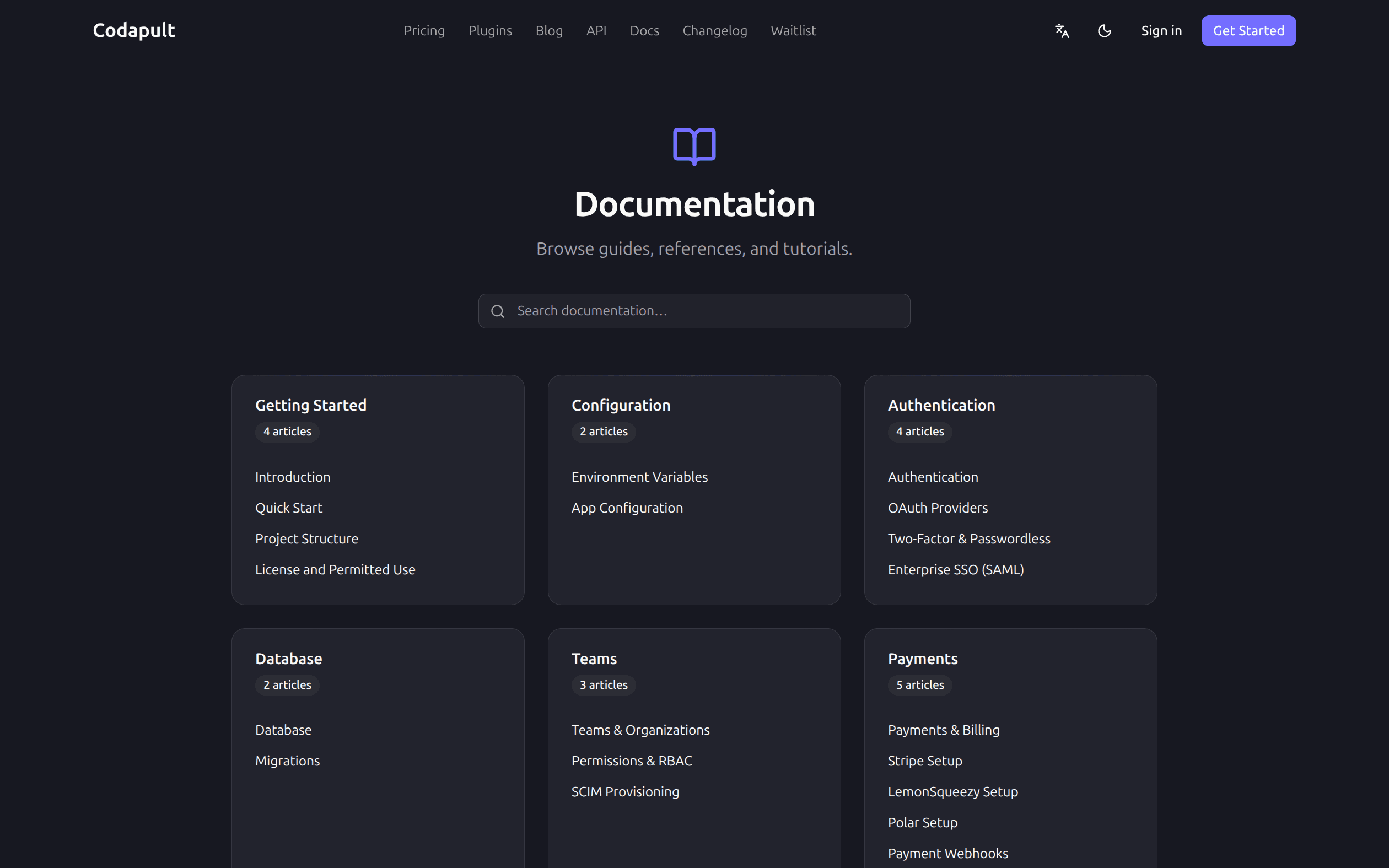
For a SaaS foundation, core docs should cover:
- Authentication.
- Organizations and teams.
- Billing.
- Admin.
- Email.
- Database.
- API.
- Deployment.
- Security.
- Testing.
Each page should explain how the module fits into the whole app.
API Docs Need Auth Context
API docs should show:
- Endpoint or procedure.
- Auth requirement.
- Input schema.
- Output shape.
- Error cases.
- Rate limits.
- Example request.
- Example response.
If an API requires admin access or organization membership, say that explicitly.
Add Troubleshooting Early
Troubleshooting docs are high leverage because they reduce repeated support.
Common sections:
- Auth callback mismatch.
- Missing env vars.
- Database connection errors.
- Webhook signature failures.
- Email domain verification.
- Payment checkout failures.
- Build errors.
- Deployment errors.
Use symptoms and fixes, not vague advice.
Security Docs Build Trust
Security docs should cover:
- Auth model.
- Session handling.
- RBAC.
- Rate limits.
- Webhook verification.
- Data export and deletion.
- CSP.
- Secret handling.
- Logging policy.
Even if you are not selling enterprise yet, security clarity matters.
Changelog Shows Momentum
A changelog helps buyers see that the product is maintained.
Good entries include:
- Feature.
- Fix.
- Breaking change.
- Migration note.
- Security update.
- Deprecation.
Do not hide important changes in commit history only.
Link Docs to Product Pages
Docs should not be isolated. Link:
- Homepage to docs.
- Pricing FAQ to license docs.
- Compare pages to architecture docs.
- Blog articles to relevant docs.
- Error pages to troubleshooting docs.
Internal linking helps users and search engines.
Keep Docs Honest
Outdated docs are worse than missing docs. Review docs when:
- Env vars change.
- Providers change.
- Schema changes.
- Routes move.
- Pricing changes.
- Feature flags change.
- Deployment paths change.
Documentation should ship with the code changes that make it necessary.
Publish Enough Before Launch
Before launch, publish:
- Getting started.
- Env reference.
- Auth setup.
- Billing setup.
- Deployment guide.
- API overview.
- Troubleshooting.
- Security overview.
- Changelog.
That is enough for buyers to evaluate the product and for early users to move without constant support.
Codapult ships an MDX help center and blog with search, i18n fallback, RSS, and structured data; the content docs cover the file layout.