Plugin Architecture for SaaS Products: When It Is Worth It
How plugin architecture helps SaaS teams add AI, CRM, helpdesk, email marketing, analytics, and product modules without bloating the core app.
Plugin architecture is not automatically good. It adds boundaries, versioning, installation logic, and maintenance rules. It is worth it when the product needs optional modules that are too large to keep in the core app.
For SaaS starters, that usually means product-grade extensions such as AI, CRM, helpdesk, email marketing, analytics, or vertical workflows.
The Problem with a Giant Core
A broad SaaS starter can become overwhelming if every feature is always present:
- More routes.
- More database tables.
- More dependencies.
- More navigation items.
- More environment variables.
- More tests.
- More code to understand.
Some features are foundational: auth, billing, teams, admin, email, and configuration. Others are optional product modules.
Plugins keep optional modules packaged but removable.
What Belongs in Core
Core should contain capabilities most SaaS apps need:
- Auth.
- Users.
- Organizations.
- Billing.
- Admin.
- Emails.
- Settings.
- Feature flags.
- Audit logs.
- API utilities.
- Deployment and env structure.
These are foundations, not product verticals.
What Belongs in Plugins
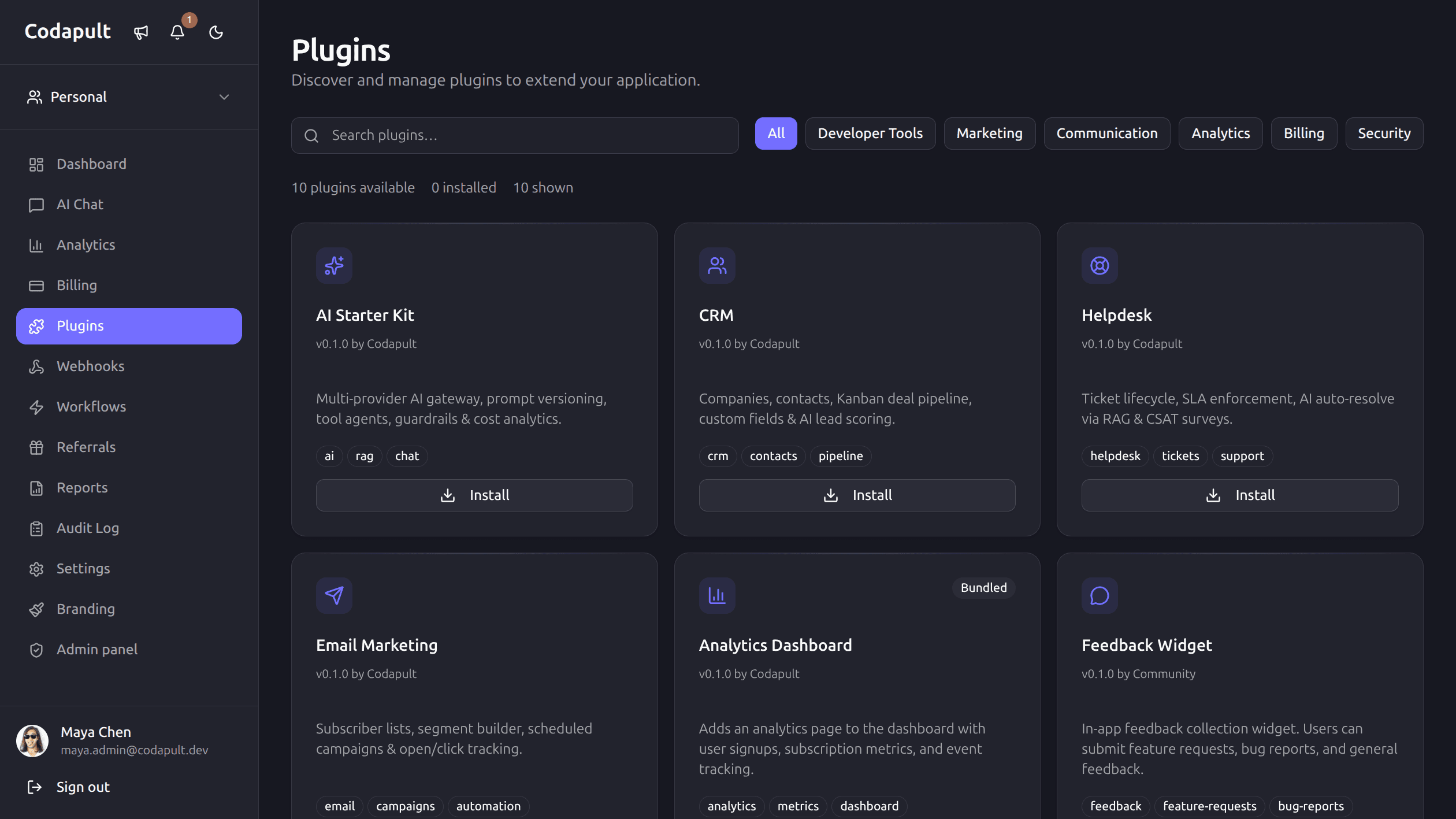
Plugins are a good fit for features that are valuable but not universal:
- AI gateway and prompt management.
- CRM contacts and pipelines.
- Helpdesk tickets and SLA.
- Email marketing campaigns.
- Advanced analytics.
- Marketplace integrations.
These modules often need pages, API routes, schema, tests, and docs. That is enough surface area to justify a package boundary.
Plugin Boundaries
A useful plugin boundary defines:
- Routes.
- Navigation items.
- Database schema.
- API handlers.
- Components.
- Feature flags.
- Permissions.
- Install script.
- Docs.
- Tests.
Avoid plugins that are just a component folder with no lifecycle.
Installation Should Be Predictable
Plugin installation should answer:
- Which files are added?
- Which dependencies are required?
- Which env vars are needed?
- Which database tables are added?
- Which routes appear?
- How do you uninstall or disable it?
If a plugin requires manual copy-paste across the app, it is not really a plugin.
Versioning Matters
Plugins need compatible versions with the host app.
Track:
- Required Codapult version.
- Peer dependencies.
- Database migration changes.
- Breaking changes.
- Upgrade notes.
This matters more as plugins become product modules instead of small UI snippets.
Permissions Must Flow Through the Host
Plugins should not invent their own auth system.
They should use the host app's:
- Session.
- Organization context.
- Role checks.
- Rate limits.
- Logger.
- Database client.
- Validation utilities.
That keeps security consistent.
Tests Should Install the Plugin
Test the plugin as a package, not only as loose source files.
Useful checks:
- Install command works.
- Required files are present.
- Routes compile.
- Schema exports are valid.
- API routes enforce auth.
- UI renders with the host app.
When Not to Use Plugins
Do not create a plugin for:
- A one-off component.
- A small helper function.
- Core auth or billing logic.
- Code that every app must keep.
- A feature with unclear ownership.
Use normal modules until the boundary pays for itself.
The Practical Payoff
Plugin architecture lets a SaaS foundation stay lean while offering serious product capabilities. Customers can start with the core, then add AI, CRM, helpdesk, or email marketing when the product needs them.
That is better than forcing every app to carry every feature from day one.
Codapult has a first-class plugin system built in — nav items, settings panels, API routes, and event hooks. CRM, Helpdesk, and Email Marketing are available as separate modules, while the AI layer is part of the foundation. The plugins docs describe the contract.