From SaaS MVP to Team Product: Codapult’s Foundation
How Codapult connects SaaS essentials for an MVP, with team workflows, product AI, documentation, and deployment paths for the product you are building.
From SaaS MVP to Team Product: Codapult’s Foundation
A SaaS MVP benefits from a clear starting point: the product workflow you are building, the essentials it depends on, and infrastructure ready for real customers. Codapult connects common SaaS workflows in a Next.js project for solo products and team-based SaaS.
The False Economy of Minimal
Minimal starters are genuinely fast for the first deployment. If the product never needs anything beyond a login form and a checkout link, a minimal starter is the correct choice.
Products have different needs from day one. An MVP may center on a single customer workflow, while a team-based product may need organizations, roles, billing, and admin operations. Codapult provides connected capabilities for these paths:
- A customer who wants to add a colleague
- A billing change (annual plans, seat pricing, trials)
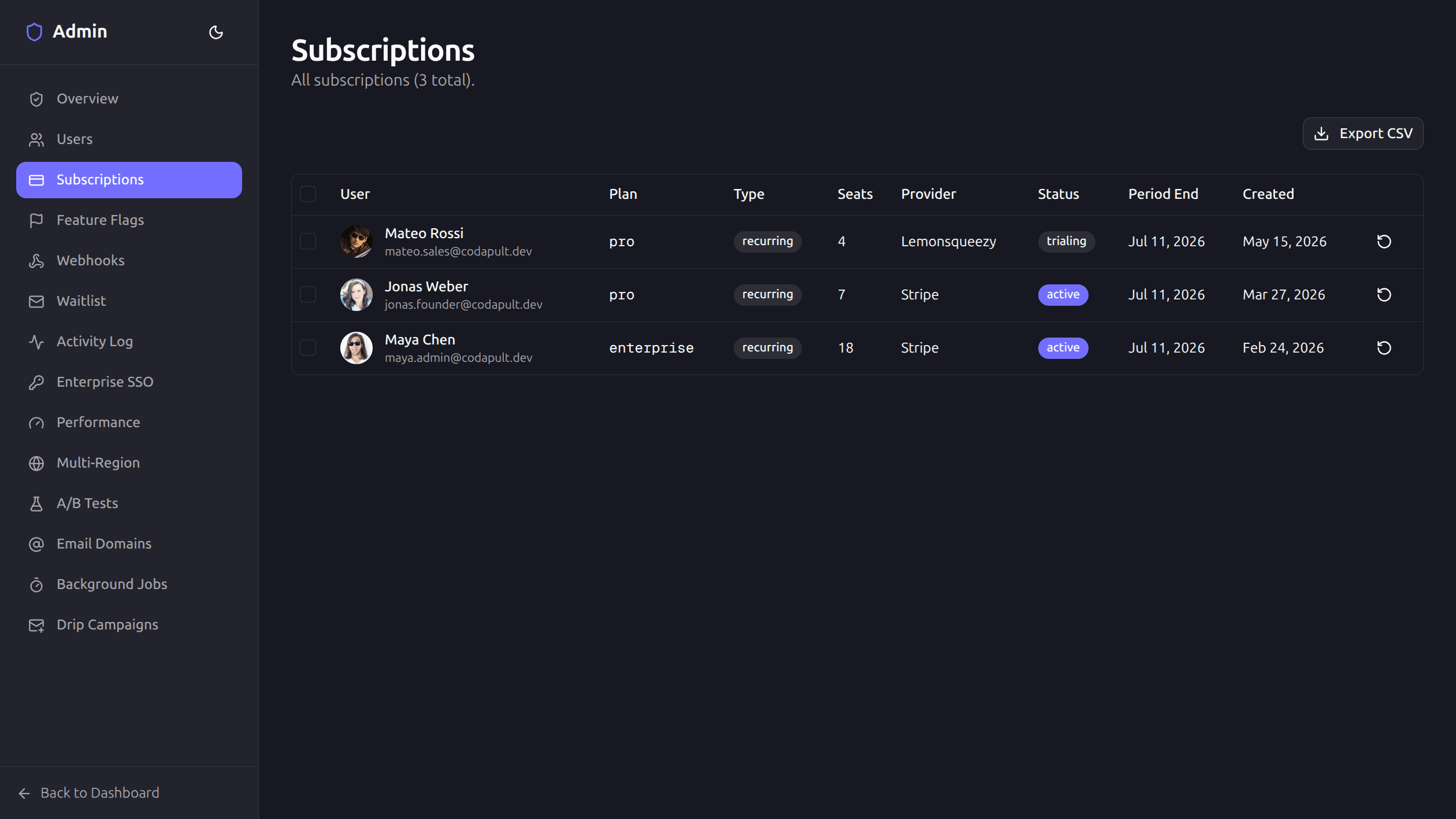
- An admin workflow (refund a subscription, ban an account, toggle a feature)
- A compliance question (who accessed what and when?)
- An enterprise prospect asking about SSO
Explore the live demo, documentation, and architecture to see how the product is put together.
What "Modular" Actually Means
Modular does not mean complex. It means the architecture already has the boundaries where common SaaS workflows are organized.
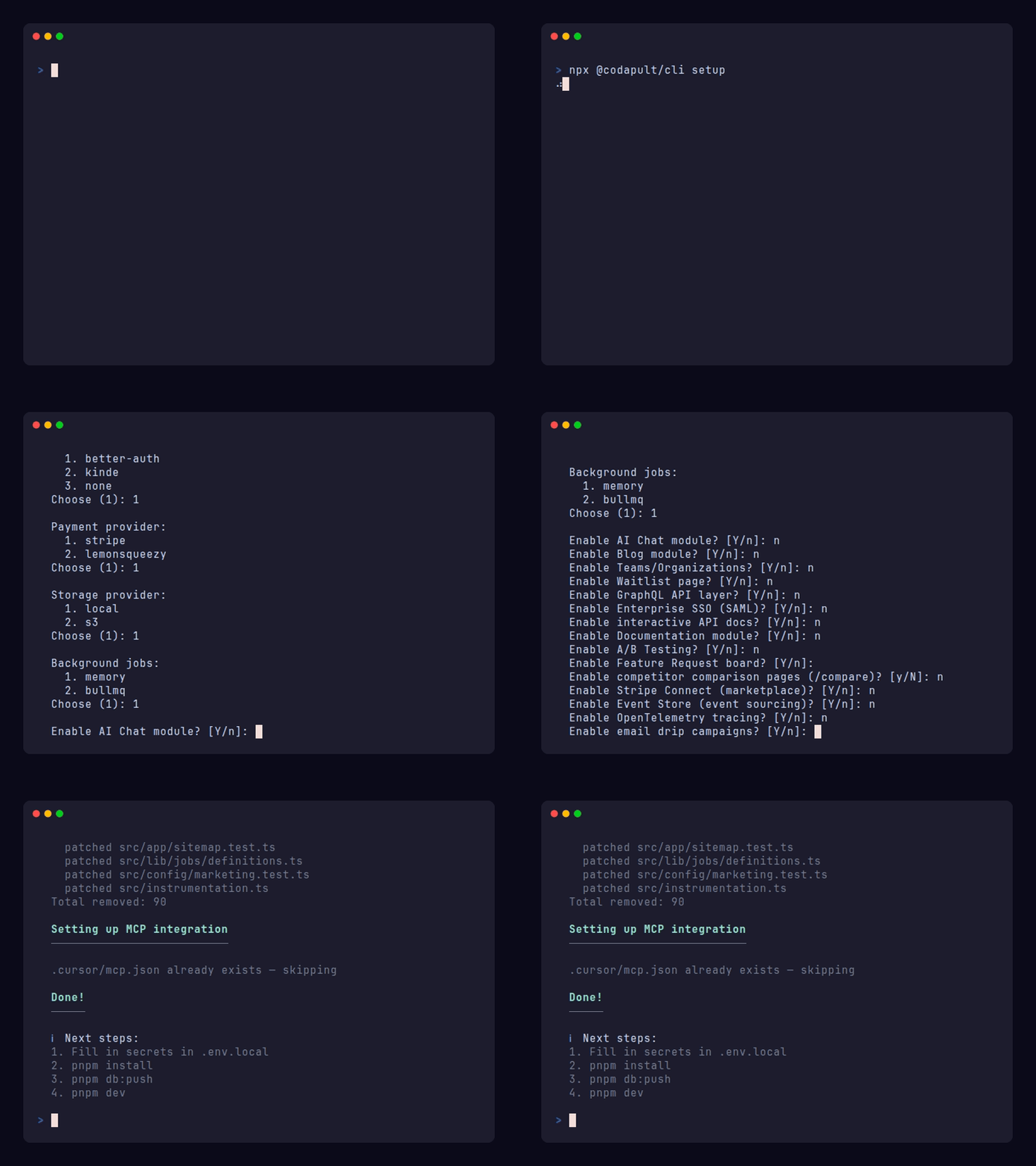
With Codapult, the setup CLI helps you shape the generated project around your product. Choose from supported capability groups, then start with the connected foundation and modules that fit your MVP or team-based product. Kept capabilities are integrated and can be configured through environment settings. See the module setup guide for the exact scope.
The key architecture choices that survive the decision:
- Provider adapters for auth, payments, storage, jobs, notifications — each behind a clean interface. Switching from Stripe to Polar changes one env var.
- Route groups for public, auth, dashboard, and admin surfaces — boundaries are explicit from day one.
- Schema designed for the modules you kept — no orphaned tables from features you removed.
Connected Product Workflows
Here is a rough estimate of what these modules cost to add after launch — assuming you build on top of an existing auth/payment provider rather than implementing protocols from scratch, which is the realistic path for most teams:
| Module | Time to build from scratch |
|---|---|
| Teams and organizations | 1–2 weeks |
| Role-based permissions | 3–5 days |
| Billing webhooks and state sync | 2–3 days |
| Admin panel (users, subs, flags) | 1–2 weeks |
| Audit logs | 2–3 days |
| SAML SSO (via a managed provider) | 2–4 days integration, plus IdP testing per customer |
| AI chat with provider routing | 3–5 days |
| Outbound webhooks | 2–3 days |
That is 4–7 weeks of work that produces no user-visible product improvement. Pure foundation debt. Building SAML without a managed provider — parsing assertions, handling XML signature edge cases, testing against real IdPs — realistically runs into months, not days, which is exactly why almost nobody does it from scratch anymore.
With Codapult, modules you included at setup are already integrated. The cost is configuration, not construction.
Shape the Project Around Your Product
Codapult setup offers supported capability choices for the project you are generating. The selected groups are reflected in the mapped files and routes. Kept capabilities are integrated into the foundation and can be configured through environment settings. See the module setup guide for exact scope and workflow.
Before setup, map the product workflows you want in your first release:
Which modules would be expensive to build from scratch six months from now?
Keep those. Remove the rest.
When Minimal Is Still the Right Answer
Not every product needs all of this. A minimal starter is correct when:
- The product is genuinely one user, one plan, forever
- You are validating an idea in a week and will rebuild regardless
- The team's main constraint is learning Next.js and less code helps
If any of those are true, pick the smallest starter available.
But if your product has a realistic path to teams, billing changes, operational tooling, or enterprise sales — the question is not "which starter has less code?" It is "which starter will survive the next version of my product without a rebuild?"
Starting Lean with Codapult
The minimal Codapult setup:
- Run the CLI setup wizard
- Remove teams, SSO, SCIM, white-labeling, AI chat, referrals at setup
- Configure auth + one billing provider + email
- Deploy
You get a small codebase — auth, billing, dashboard, admin — with proper provider abstractions already in place. When the product needs a different billing provider, it is one env var. The Codapult documentation covers deployment and the exact setup scope for each supported capability.
The setup flow shapes the generated project around the supported capabilities your product needs.
The Decision That Matters
The choice between minimal and modular is a bet on the future of your product.
If the product stays simple: minimal wins. Less code, faster start.
If the product grows — and most that get traction do — the question is whether you made the right module decisions at setup time. The setup choices configure the generated project for your first release, while the full Codapult source and documentation give you a clear view of the foundation.
Codapult gives you a connected foundation with setup choices for the product you want to launch. See what's included →