Overview
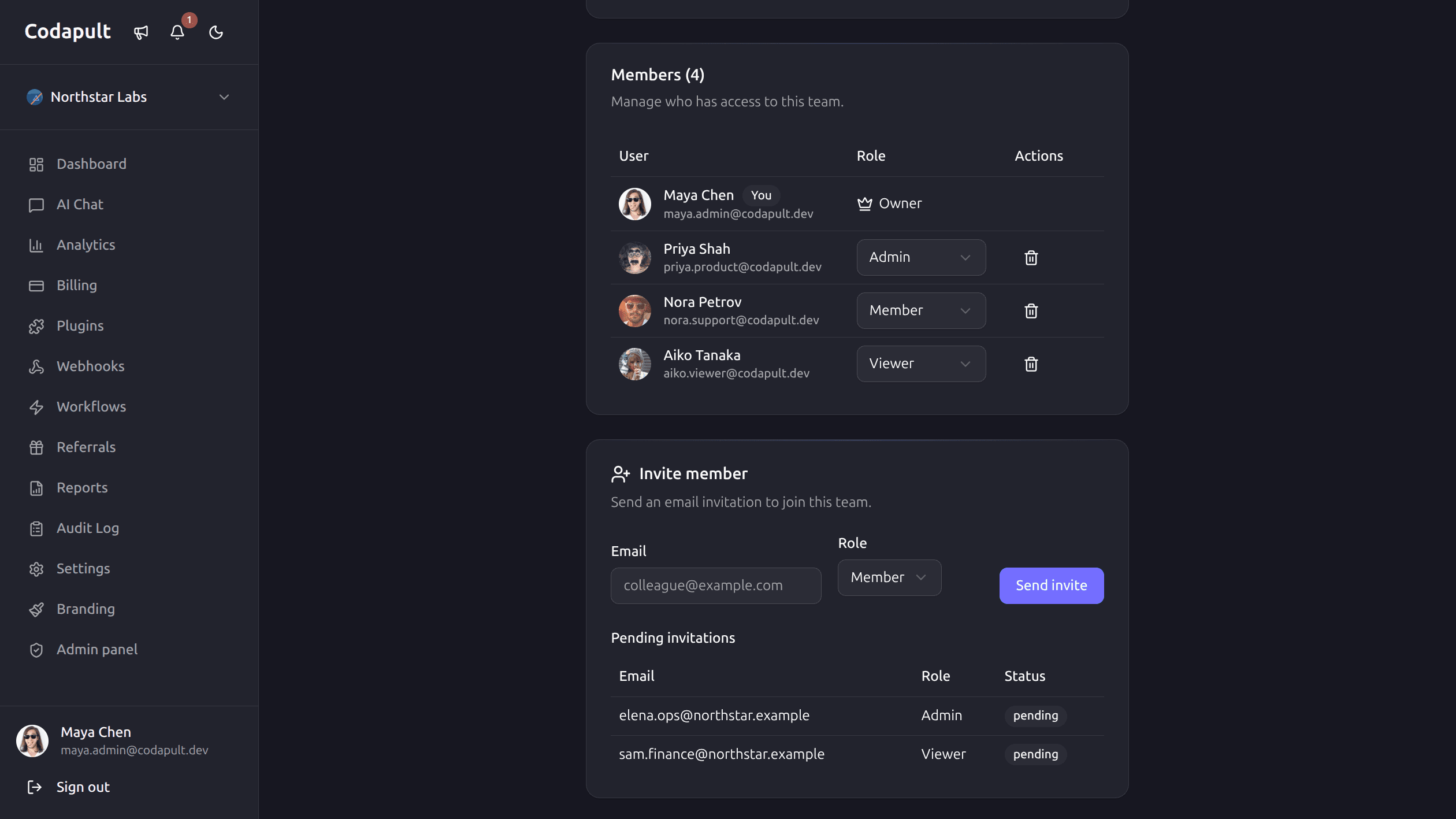
Codapult provides built-in multi-tenancy through organizations. Users can create teams, invite members, assign roles, and manage settings — all with fine-grained role-based access control (RBAC).
Roles & Hierarchy
Every organization member has one of four roles, ordered from most to least privileged:
| Role | Level | Capabilities |
|---|---|---|
| Owner | 4 | Full control — delete org, manage billing, all actions |
| Admin | 3 | Manage members, settings, billing, resources |
| Member | 2 | Create and edit resources, view billing |
| Viewer | 1 | Read-only access to org resources and settings |
Global admins (user.role === 'admin') bypass all organization-level permission checks.
Permissions & RBAC
Codapult uses role-based access control with 15+ permission definitions. For the full permission map, helper functions, guard usage, and how to add custom permissions, see the dedicated Permissions & RBAC page.
Invitations
Organization owners and admins can invite new members by email:
- Admin sends an invitation from Dashboard → Team → Invite Member
- An email with a unique token is sent to the invitee
- The invitee clicks the link and lands on
/invite/[token] - After accepting, they become a member with the assigned role
Invitations have an expiration date. Expired invitations cannot be accepted — the admin must resend.
Invitation Statuses
| Status | Description |
|---|---|
pending | Sent, awaiting acceptance |
accepted | Invitee joined the organization |
expired | Token expired before acceptance |
Database Tables
Three tables power the teams module:
organization
| Column | Type | Description |
|---|---|---|
id | text (PK) | Unique ID (nanoid) |
name | text | Display name |
slug | text | URL-safe unique identifier |
image | text | Avatar URL (optional) |
branding | text | JSON-encoded theme overrides |
created_at | timestamp | Creation date |
updated_at | timestamp | Last modified date |
organization_member
| Column | Type | Description |
|---|---|---|
id | text (PK) | Unique ID |
organization_id | text (FK) | References organization.id |
user_id | text (FK) | References user.id |
role | text | owner, admin, member, viewer |
created_at | timestamp | Joined date |
organization_invitation
| Column | Type | Description |
|---|---|---|
id | text (PK) | Unique ID |
organization_id | text (FK) | References organization.id |
email | text | Invitee email address |
role | text | Assigned role on acceptance |
token | text | Unique invitation token |
status | text | pending, accepted, expired |
invited_by | text (FK) | References user.id |
expires_at | timestamp | Expiration date |
created_at | timestamp | Invitation sent date |
Server Actions
All team mutations are in src/lib/actions/organizations.ts:
| Action | Description | Required Permission |
|---|---|---|
| Create organization | Creates a new team | Authenticated user |
| Update organization | Updates name, avatar, branding | org:update |
| Delete organization | Permanently deletes the team | org:delete |
| Invite member | Sends an email invitation | member:invite |
| Change member role | Promotes or demotes a member | member:update-role |
| Remove member | Removes a member from the team | member:remove |
UI Components
- TeamSwitcher — dropdown in the dashboard sidebar for switching between organizations
- Team settings page — manage name, avatar, and billing at Dashboard → Settings → Team
- Members list — view, invite, and manage members at Dashboard → Team
SCIM Provisioning
For enterprise customers, Codapult supports SCIM (System for Cross-domain Identity Management) for automated user provisioning and deprovisioning from identity providers like Okta, Azure AD, and OneLogin. SCIM endpoints live in src/lib/scim/. See the Security documentation for more details.
Module Removal
The teams module is independently removable. See the Modules documentation for step-by-step removal instructions.
Next Steps
- Database — schema conventions and query patterns
- Payments & Billing — subscription management tied to organizations
- Authentication — user accounts and sign-in methods